For single-location owners
Check cashing software for the owner who does it all
When you run one store, you are the manager, the compliance officer and often the cashier. CheckCashing360 keeps the counter, the cash, the paperwork and your profit in one place, so you spend less time on spreadsheets and more time with customers.
Sound familiar?
Fees are worked out on a calculator, and mistakes cost you money.
Every fee comes from your fee schedule and is checked against your state’s limit on file, before the cash leaves the drawer.
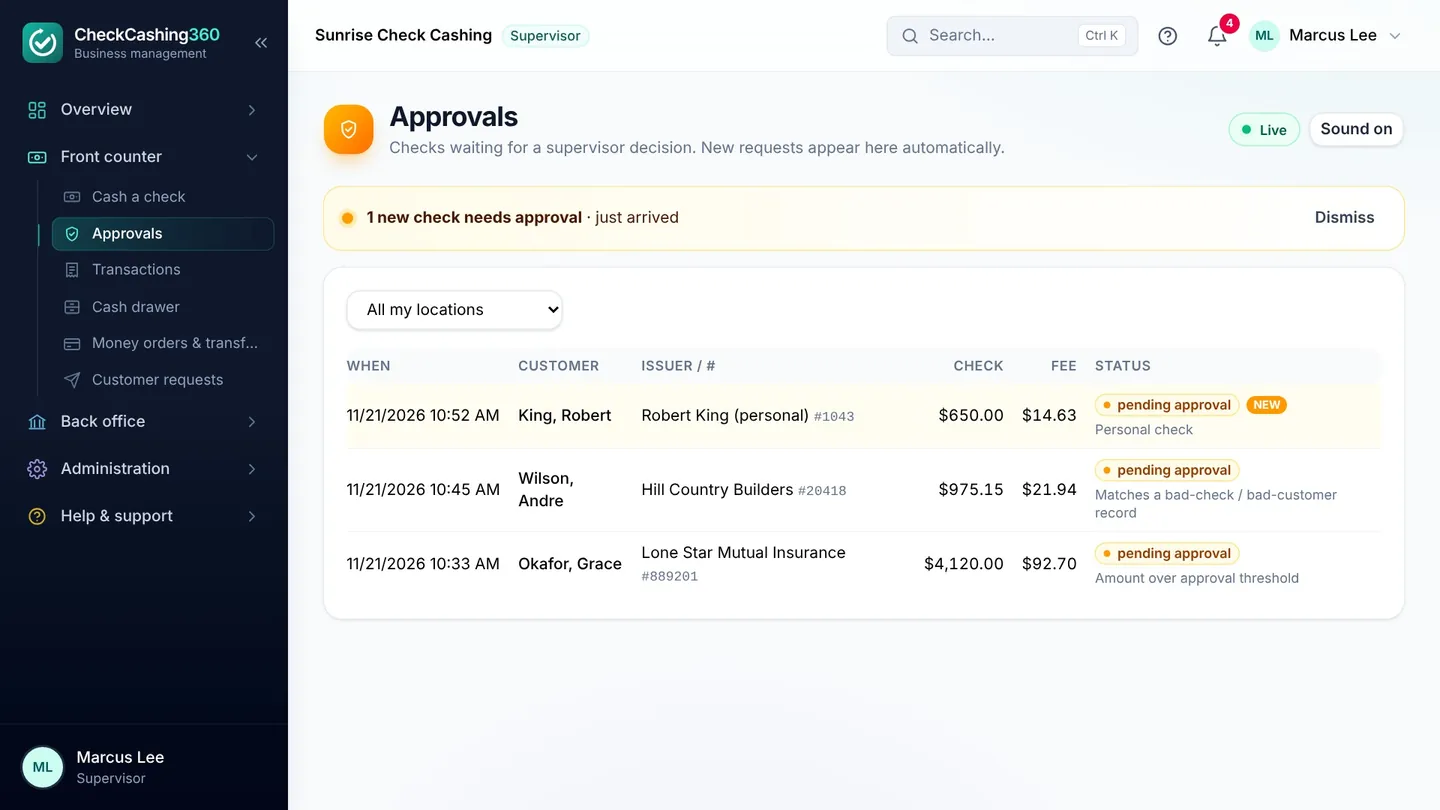
You can’t be at the counter every minute.
Checks that match your approval rules wait for you on the Approvals screen, and can reach your phone as a push notification.
The drawer is short and nobody knows why.
Every cash movement goes through a counted drawer, so over/short shows at close with who handled each transaction.
Compliance paperwork piles up.
Cash activity is added up for you, possible CTRs and structuring are flagged, and OFAC screening runs on its own.
What you get
Start in an afternoon
Register your business, set your fees, import customers and check issuers from Excel or CSV, and invite your cashiers.
A guided counter
Your cashiers follow the same steps on every check: customer, issuer, amount, fee, approval if needed, receipt.
Know what you made
Profit & loss with your fees, losses and the expenses you record, plus a weekly profit email.
Alerts on your phone
Approvals, compliance alerts and drawer variances, even when the app is closed.
Safe on a shared counter
Every employee has their own sign-in, two-step sign-in is available, and idle screens sign out automatically.
Your data, always
Download every record as CSV files at any time, including after cancelling.
Features you’ll use most
Check cashing
Fee quotes, state fee limits, duplicate blocking, approvals, check and ID readers, receipts.
Learn moreCash drawers & deposits
Drawer counts, vault, over/short, sign-off, bank deposits, returned checks and collections.
Learn moreProfit & loss
P&L by location, expenses with receipts, budgets, weekly profit email, reports, QuickBooks export.
Learn moreQuestions
Is it worth it for just one location?
Plans are priced per location, so a single store pays for one. The free trial includes every feature, so you can see what it saves you before you pay.
Do I need special hardware?
No. It runs in a web browser on the computers, tablets and phones you already have. Desk check readers and ID card readers in keyboard mode work too, and receipts print on office paper or 80 mm receipt printers.
Can I add a second location later?
Yes. Add a location when you open it; customers and issuers are shared, and the new store gets its own drawers, vault and deposits.
Get started
Step-by-step guides from our help center:
Also built for
Multi-location businesses
Every store at a glance: shared customers, cash and compliance across locations, managers who see only their store, profit by location.
Learn moreCompliance officers
Alerts from every location, case work, CTR worksheets, OFAC reviews, your AML program and an examiner package in one place.
Learn moreCompareStill on spreadsheets or desktop software?See what changes when every location is on one platform.See it with your own locations
Every new business gets a free trial with full features. Want to look around first? The live demo works without an account.