BSA/AML compliance
BSA/AML compliance software for check cashers and MSBs
Cash activity is added up across all of your locations as it happens. Your compliance officer gets alerts for possible CTRs and structuring, works cases with notes and documents, and keeps the AML program, OFAC screening and training records in one place.
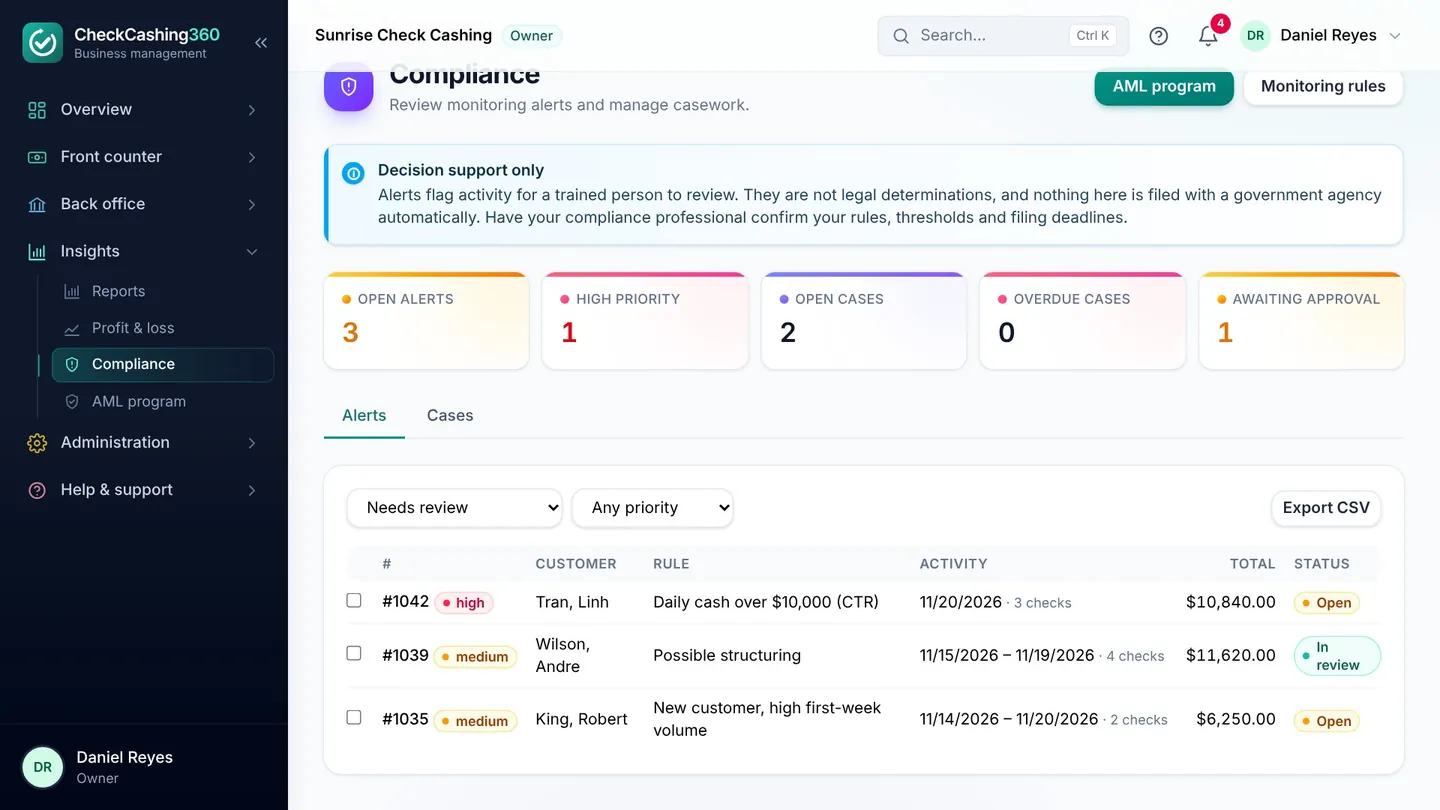
What you get
Aggregation across locations
Cash-in and cash-out for each customer is added up for the business day across every location, so a $10,000+ day is caught even when it’s split between stores.
Structuring and velocity alerts
Several transactions just under thresholds over a few days, or unusually many checks in a short time, are flagged for your compliance officer to review.
CTR and SAR cases
Open a case from an alert, add notes and documents, and record your decision and filing details. Every step is in the audit log.
CTR worksheet
Each CTR laid out in the order of FinCEN’s form, with the customer, amounts and locations filled in, ready to check and enter in BSA E-Filing.
OFAC screening
The official SDN list is downloaded every day. Customers, issuers and transfer parties are screened, and a possible match puts their transactions on hold until a person reviews it.
AML program and training
A 12-point program checklist, a written policy builder, a risk assessment and staff training with e-signature, with every version kept.
Ready for the examiner
Download an examiner package for any period: your AML program with every version, alerts, cases, OFAC screenings, transactions and the activity log, with a summary page.
- MSB registration on file with renewal reminders
- Customer risk levels set by your compliance officer
- A compliance officer role that sees every location
- An auditor role with read-only access
Decision support, not decisions
CheckCashing360 prepares the information and keeps the records. Your team reviews every alert, and filing decisions and submissions to FinCEN or OFAC stay with your business.
- A person reviews every alert and closes it with a reason or escalates it to a case
- Every review is recorded with who decided and why
- The app doesn’t file reports for you or give legal advice
Questions
Does CheckCashing360 file CTRs for me?
No. It finds the transactions that may need a CTR, adds them up across locations and lays out the worksheet in the order of FinCEN’s form. Your team checks it and files it in BSA E-Filing.
Does it include check casher compliance for every state?
The monitoring follows the federal Bank Secrecy Act rules that apply to money services businesses. State licensing rules vary; state fee limits on file are checked on every fee.
Who can see compliance records?
Only users with compliance permission, such as the owner, the compliance officer and the auditor. Records are kept separate for every business.
How it works
Step-by-step guides from our help center:
More features
Check cashing
Fee quotes, state fee limits, duplicate blocking, approvals, check and ID readers, receipts.
Learn moreCustomers & portal
Customer profiles, ID scanning and expiry, QR cards, English/Spanish portal, rewards, payment links.
Learn moreProfit & loss
P&L by location, expenses with receipts, budgets, weekly profit email, reports, QuickBooks export.
Learn moreTry compliance with your own team
Every new business gets a free trial with full features. Want to look around first? The live demo works without an account.