Cash control
Cash drawer, vault and deposit software that balances to the cent
Open and close every drawer with counted cash, move money to and from the vault, see over/short the moment a drawer closes, and batch cashed checks into bank deposits, all on a balanced double-entry ledger.
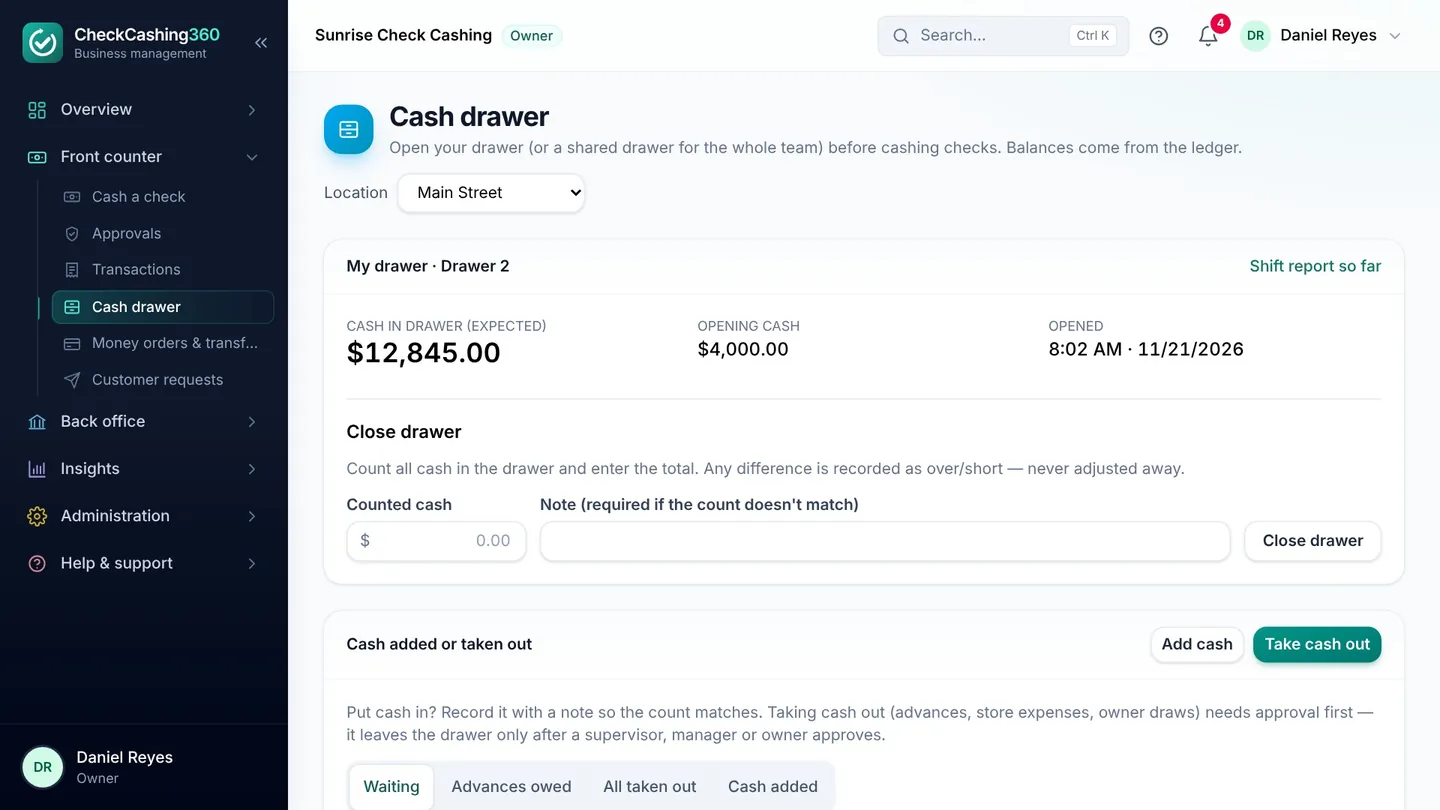
What you get
Open and close with counts
Cashiers count the cash when they open and close. The app knows what should be in the drawer, so over/short is shown the moment the count is entered.
Vault and transfers
Move cash between the vault and drawers with a record of who moved it. Each location keeps its own vault balance.
Counts signed off
A supervisor or manager other than the person who counted signs off every closing count, and drawer variances can reach the owner’s phone.
Bank deposits
Batch cashed checks into a deposit, print the deposit list, then mark it deposited with the bank reference and cleared when funds are available.
Returned checks
Record a returned check against the original transaction, see the balance owed and work it with call logs, promises and payment plans.
Money services in the same drawer
Money orders, transfers, prepaid cards and bill payments recorded with per-product fees, provider balances and settlements.
One ledger for every dollar
Every check, fee, cash movement and deposit is posted to a balanced double-entry ledger. Records are never silently changed: corrections are reversals with a reason.
- Shift and daily-close reports for each location
- Cash taken out of a drawer (advances, store expenses, owner draws) approved by someone else
- Drawers shared by more than one cashier when you need it
- QuickBooks Online or Desktop export of balanced daily journal entries
- A cash forecast for each location: how much cash to order, from the same weekday over the last 8 weeks
Collections without spreadsheets
Returned checks become a work list with everything your team needs to recover the money.
- Call logs, promises to pay and payment plans
- Notice letters for customers and issuers, ready to print
- Payment links for customers with an online account; payments go directly to you
- Written-off checks counted as losses in profit & loss
Questions
Can two cashiers share a drawer?
Yes. A drawer can be shared when your location works that way, and every transaction still records which cashier handled it.
How is over/short calculated?
From the opening count plus every cash movement recorded in the app: checks paid, fees, money services, cash added or removed and vault transfers. The closing count is compared with that expected amount.
How do I know how much cash to order?
Back office → Cash forecast averages the cash each location used on the same weekday over the last 8 weeks, adds a cushion and your reserve, and suggests an order, for example “Order $42,000 for Friday at Main Street, based on the last 8 Fridays.” Owners and location managers see it.
Does it connect to my bank?
No. CheckCashing360 prepares your deposit batches and deposit lists; you make the deposit at your bank and record the bank reference.
How it works
Step-by-step guides from our help center:
More features
Check cashing
Fee quotes, state fee limits, duplicate blocking, approvals, check and ID readers, receipts.
Learn moreProfit & loss
P&L by location, expenses with receipts, budgets, weekly profit email, reports, QuickBooks export.
Learn moreCustomers & portal
Customer profiles, ID scanning and expiry, QR cards, English/Spanish portal, rewards, payment links.
Learn moreTry cash drawers & deposits with your own team
Every new business gets a free trial with full features. Want to look around first? The live demo works without an account.