Customers
Customer management, portal and rewards for check cashers
Find a returning customer in seconds, keep their ID current, and give them an online account in English or Spanish with a QR card, their history, rewards for fee-free checks and a simple way to pay a returned-check balance.
What you get
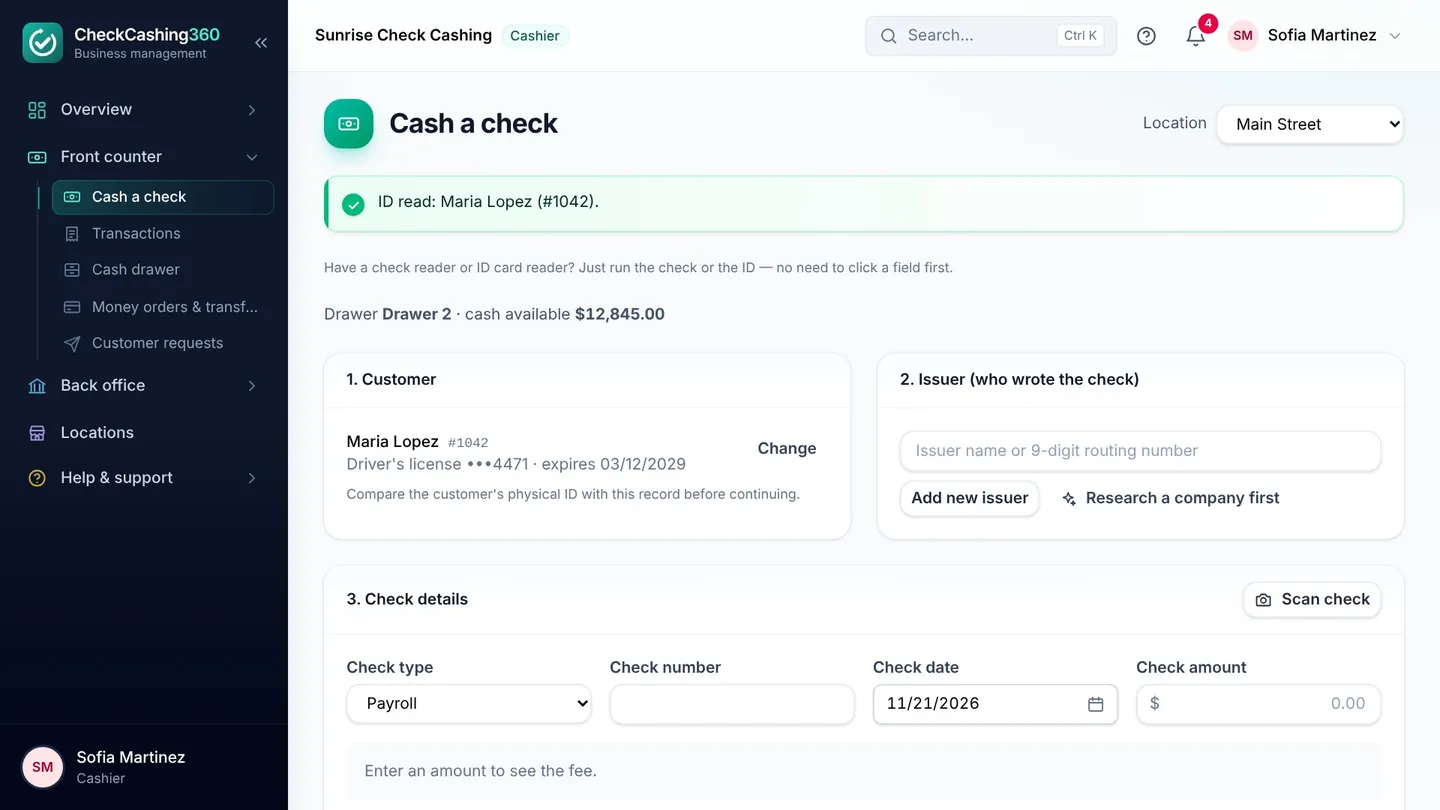
ID scan finds the customer
Run the ID through a card reader or scan the license barcode. A returning customer is found; a new one is filled in for you.
IDs that stay current
An expired ID can’t be used to cash a check. See which IDs expire in the next 30 days and get a weekly list of regulars who need a new one.
Shared across your locations
Customers, issuers and loss-prevention records are shared by all of your locations, so a customer is known at every store.
QR customer cards
Every customer gets a QR card your cashiers scan to open their profile instantly.
Rewards
Customers earn points on their checks and use them for fee-free checks. You set the rules.
An online account
History, check pre-approval and large-cash requests, rewards and payment links, in English or Spanish. Payments go directly to you.
Bring the customers you already have
Import customers and check issuers from Excel or CSV. The app matches your columns, checks every row and skips duplicates.
- Possible duplicate customers shown before a new profile is saved
- Documents and ID photos stored privately for your business only
- Companies a customer owns or works for, for business checks
Requests before they walk in
Customers with an online account can ask for a check pre-approval or a large cash amount ahead of time, so you can have the cash ready.
- Requests arrive in your app; you approve, ask for more information or decline
- Every reply is emailed to the customer and shown in their account
- The portal has an English/Español switch
Questions
Do customers have to create an account?
No. Customers are served at the counter without one. You can invite a customer from their profile if they want an online account.
Does CheckCashing360 handle customer payments?
No. Payment links go to your own payment page, and the money goes directly to your business.
Is customer information shared with other businesses?
No. Each business’s customers are private. If your business opts in to the loss network, bad-check flags are shared only as anonymous fingerprints: no names, ID numbers or account numbers.
How it works
Step-by-step guides from our help center:
More features
Check cashing
Fee quotes, state fee limits, duplicate blocking, approvals, check and ID readers, receipts.
Learn moreCompliance
CTR aggregation, structuring alerts, CTR/SAR cases, CTR worksheet, OFAC, AML program, examiner package.
Learn moreCash drawers & deposits
Drawer counts, vault, over/short, sign-off, bank deposits, returned checks and collections.
Learn moreTry customers & portal with your own team
Every new business gets a free trial with full features. Want to look around first? The live demo works without an account.